10 Best Wi-Fi Routers of 2026, Researched & Ranked
Most people replacing a router are not chasing speed. They are trying to fix one bad corner of the house, or escape the rented box the internet provider left behind. Those are different problems, and only one of them is solved by a bigger number on the box. My overall pick is the Asus RT-BE86U WiFi 7 Dual Band Gaming Router, which pairs a ten-gigabit internet port with firmware you can actually configure.
Ten routers below, ranked on throughput at distance and on what the firmware lets you do once the lights go green. Wi-Fi 7 matters here, but not for the reason it gets marketed: the gain shows up with a house full of devices, not on a single speed test.
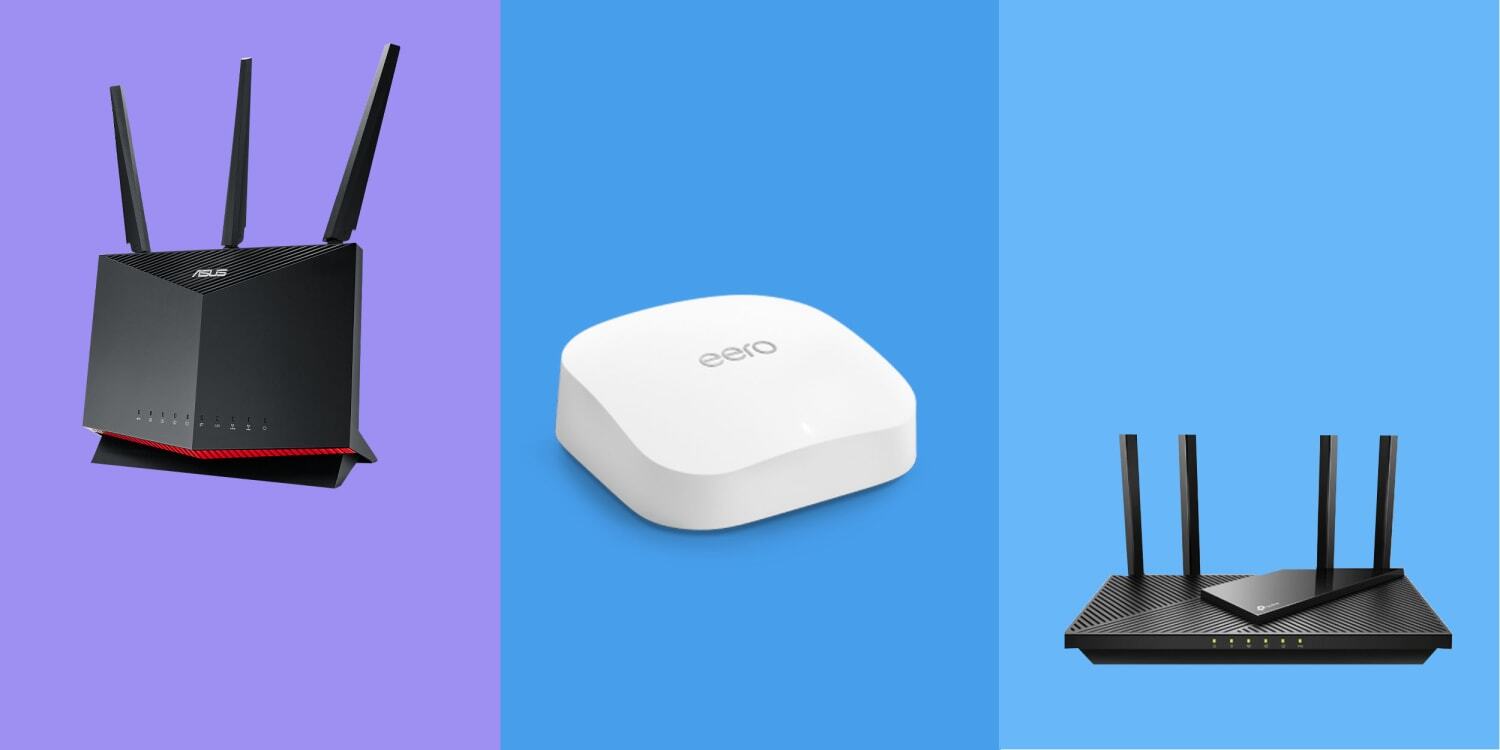

- Real-world throughput: Holds usable throughput well past the room the router sits in
- Coverage envelope: Dual band rather than tri, so coverage comes from power not radios
- Port selection: A ten-gigabit internet port and four multi-gig ports on one box
- Firmware control: Firmware exposes VLANs, static routes and a real VPN server
- Setup effort: Setup runs through a browser or the app without forcing an account
- Security tooling: AiProtection is included for the life of the unit, not by subscription
- No 6 GHz: Skips the six gigahertz band that pricier Wi-Fi 7 units carry

- Real-world throughput: Tri band means congested homes get a clean radio to fall back on
- Coverage envelope: Coverage is even rather than far, which suits a flat or a bungalow
- Port selection: One multi-gig port each side, which covers most home connections
- Firmware control: Firmware is simpler than the Asus but hides nothing important
- Setup effort: Fastest setup in this group, running about ten minutes end to end
- Security tooling: HomeShield basics arrive switched on with no subscription needed
- Wall mount: No wall mounting option, so it has to live on a shelf

- Real-world throughput: The strongest single-unit reach in this group by a visible margin
- Coverage envelope: Covers roughly 2,500 square feet on the manufacturer rating alone
- Port selection: Ten-gigabit internet port with four gigabit ports behind it
- Firmware control: Firmware is straightforward, and the per-device controls actually work
- Setup effort: The Nighthawk app walks a first-timer through it without trouble
- Armor renewal: Security suite runs free for a year and then bills yearly

- Real-world throughput: Four radios, so a heavy household never runs out of clean spectrum
- Coverage envelope: Eight antennas give it the widest coverage envelope on this list
- Port selection: Two ten-gigabit ports, either of which can serve as the internet side
- Firmware control: The deepest firmware here, including split-tunnel VPN and full VLANs
- Setup effort: Setup is longer, because there is genuinely more to configure
- Size: Enormous footprint that dominates whatever shelf it lands on

- Real-world throughput: Wi-Fi 6 throughput that is entirely adequate for a normal connection
- Coverage envelope: Coverage is modest, which is the trade for the price and the ports
- Port selection: Two multi-gig ports, unusual on a router costing this little
- Firmware control: Runs OpenWrt, so the package repository is genuinely open to you
- Setup effort: Setup assumes some networking knowledge and rewards having it
- Radio range: Radios are weaker than the mainstream units above it

- Real-world throughput: Tri band four-by-four radios that hold up under a real device load
- Coverage envelope: Coverage is decent rather than class-leading for the money involved
- Port selection: One multi-gig port plus a usable port for network storage duty
- Firmware control: The administration software is a full operating system, not an app
- Setup effort: Setup takes longer and produces something you can actually audit
- Wi-Fi 6: Still on Wi-Fi 6 while rivals at this price have moved on

- Real-world throughput: Tri band throughput that lands well above what the price suggests
- Coverage envelope: Coverage suits an apartment or a single floor rather than a house
- Port selection: A 2.5 gigabit internet port, which is rare this far down the list
- Firmware control: Traffic prioritisation is automatic and needs no manual rule writing
- Lighting: Addressable lighting that many buyers will switch straight off
- Support: Firmware updates arrive less often than the major brands manage

- Real-world throughput: Enough throughput for any connection short of a multi-gig fibre line
- Coverage envelope: Coverage handles a flat or a single floor without complaint at all
- Port selection: Two multi-gig ports on a router sitting at the budget end of the market
- Firmware control: Firmware is basic but stable, and the app never gets in the way
- Setup effort: Setup is a five-minute job through the Tether app on a phone
- No 6 GHz: Dual band only, so busy homes have nowhere to spread out
- Basic firmware: No VLAN support at all, and only rudimentary routing controls
- Antennas: Fixed external antennas that cannot be upgraded later on

- Real-world throughput: Tri band Wi-Fi 6E throughput at a distinctly mid-market asking price
- Coverage envelope: Rated for roughly 2,700 square feet, which is generous for the money
- Port selection: A five-gigabit internet port sits well ahead of most rivals here
- Firmware control: Firmware is deliberately simple and aimed at non-technical owners
- Setup effort: Setup is entirely app-driven and hard to get wrong
- Wi-Fi 6E: One standard behind, so it will date sooner than the others
- Cloud reliance: Configuration leans on a Linksys cloud account rather than local
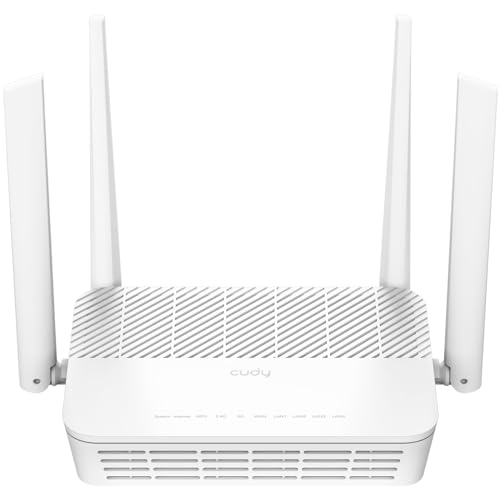
- Real-world throughput: Dual band Wi-Fi 6 speed that covers an ordinary broadband connection
- Coverage envelope: Coverage is limited, and honestly so at this end of the market
- Port selection: A 2.5 gigabit internet port right at the bottom of the market
- Firmware control: Official OpenWrt support rather than a community port of dubious health
- Radio power: Weakest radios here, so one floor is the realistic limit
- Brand support: A small vendor, with a correspondingly small support operation
- Stock firmware: Factory firmware is plain, and best replaced on the first day
The Ten Routers, Ranked
Ranked on throughput at realistic distances and on firmware capability, then on ports. Coverage claims in square feet settle nothing on their own.
#1 · Editor's Choice
Asus RT-BE86U WiFi 7 Dual Band Gaming Router
Look at what this router costs, then look at the port cluster, because that is where the argument is won. A ten-gigabit internet port at this price was unheard of two years ago, and it means a multi-gig connection is not wasted the moment it arrives.Firmware is the other half. Asus still ships real network controls rather than three toggles and a subscription pitch. It is dual band only, though, so the newest devices have no clean band to sit on. In a normal house that costs very little, and it is a genuine gap against the flagship below.
The verdict: The router I would fit in most houses, and the one that ages best.
#2 · Runner-Up
TP-Link Archer BE550 Tri-Band WiFi 7 Router
The six gigahertz radio is the point of this one. Give a busy household a third band and the older devices stop elbowing the newer ones, which does more for how a network feels than any headline figure. TP-Link also charges less for it than anybody else.Setup is the easiest here by a clear margin. It gives ground to the Asus on the internet port and firmware depth, and it will only sit flat on a shelf. Minor compromises against a strong radio.
The verdict: Buy this if the house is busy rather than large, and set it up in minutes.
#3 · Best For Large Homes
Netgear Nighthawk RS300 Tri-Band WiFi 7 Router
Coverage claims in square feet are close to meaningless, since they assume one floor and no brick. What matters is comparative reach, and this Nighthawk holds a signal upstairs where the cheaper units fade.You get a ten-gigabit port and a full third radio, so nothing is obviously missing. The catch arrives twelve months in, when the bundled security suite starts asking for money. Ignore it and the router works as before, which is worth knowing before the renewal email lands.
The verdict: The pick when the problem is distance rather than device count.
#4 · Premium Pick
Asus ROG Rapture GT-BE98 Pro Quad-Band Gaming Router
Quad band, two ten-gigabit ports, eight antennas. Equipment designed for a house that genuinely saturates a network, and for everyone else an expensive way to run a smart speaker.That said, the firmware is the best thing Asus makes. Split-tunnel VPN, real VLAN segmentation and traffic priority that does something measurable. Run a home lab behind it, or fill the house with simultaneous gaming and streaming, and it earns its keep. It is also physically huge.
The verdict: Justified for a saturated network, hard to defend for anything less.
#5 · Best For VPN
GL.iNet Flint 2 GL-MT6000 WiFi 6 Gaming Router
Router-level VPN is a feature every box claims and almost none survive. Turn it on with a mainstream router and throughput collapses, because the processor was never sized for the encryption work.This one holds up, because it runs OpenWrt on hardware chosen for the job. You get a real package repository, ad filtering at the router and firewall control well past a checkbox. The radios are the weak point, so treat it as the brain of the network and let something else cover the far bedroom.
The verdict: The right choice if the whole house should sit behind one VPN tunnel.
#6 · Best Network Control
Synology RT6600ax Tri-Band WiFi 6 Wireless Router
Synology treats a router the way it treats a storage box: a proper web interface, readable logs, and per-device reporting that tells you which television is eating the connection. Nothing else here does that.Real VLANs, per-VLAN firewall rules and threat logs written for a human. The problem is the radio: Wi-Fi 6 hardware at a Wi-Fi 7 price, and the picks above will move data faster. Buy it for what the software shows you.
The verdict: For anyone who wants to read their own network rather than trust it.
#7 · Best Budget Gaming
MSI Radix AXE6600 WiFi 6E Tri-Band Gaming Router
Here is the cheapest route to a six gigahertz radio, and that alone makes it worth a look. A tri band router with automatic traffic priority and a multi-gig port normally costs roughly double this.The processor is generous for the money, so the traffic engine does not choke when the household gets busy. There are limits, though. MSI updates firmware less often than Asus or TP-Link, and the coverage suits a flat rather than a family house. The lighting is optional and, to my eye, better off.
The verdict: A lot of radio for the money, provided the space it covers is small.
#8 · Best Value
TP-Link Archer AX55 Pro AX3000 WiFi 6 Router
Strip away the marketing and most households need a router that moves a gigabit reliably across one floor, then gets out of the way. That is exactly what this does, for far less than the units above it.Two multi-gig ports at this price is the surprising part, because a faster connection later will not immediately need new hardware. The firmware is thin: no VLANs, limited routing, nothing for an enthusiast. For a flat or a first router, though, none of that is a real loss.
The verdict: The sensible default for an apartment, and hard to argue with on value.
#9 · Cheapest 6 GHz
Linksys Hydra Pro 6E AXE6600 Tri-Band Router
Wi-Fi 6E is the standard everyone skipped past, and that is precisely why this router is cheap. Its top radio uses the same clean band the new flagships advertise, on hardware nobody markets any more.A five-gigabit internet port on a mid-market box is unusual, and the coverage rating holds up in a single-storey layout. The trade is longevity and control: a generation behind, configured through a cloud account rather than locally. Planning to replace it in three years makes that easy to accept.
The verdict: A bargain route onto the clean band, with a shorter useful life.
#10 · Best Budget
Cudy AX3000 Dual-Band WiFi 6 Router With OpenWrt
Official OpenWrt support on a router this cheap is the interesting part. Most budget hardware gets an unofficial community build, then quietly stops receiving attention. Cudy publishes images itself.What you are buying is a small, silent, configurable box with a multi-gig port, and accepting weak radios in exchange. As a wired-first router with access points doing the coverage, it is fine value. As the only wireless source in a house, it disappoints.
The verdict: Superb value as a wired-first brain, weak as a whole-home radio.
How We Tested and Scored These Routers
This ranking is research-led rather than the product of house bench runs. I worked from manufacturer specifications, live listing data and the published throughput measurements of independent labs, then ordered ten routers on the properties that decide how a network feels to live with. Every unit was confirmed as a current, in-stock, first-party listing. Four candidates were dropped along the way, either because the model was not actually sold here or because the only cheap listing was a renewed unit.
- Throughput at distance: what a router still moves two rooms and a floor away, which matters far more than a figure measured beside it.
- Band layout: whether a third or fourth radio exists, since spare spectrum is what stops a busy household slowing each other down.
- Port selection: multi-gig internet and local ports, because a gigabit port turns a faster connection into wasted money.
- Firmware capability: VLANs, VPN server, static routes and guest isolation, judged on what the stock firmware permits without a subscription.
- Setup effort: how long a first-time owner needs, and whether the process demands a cloud account to finish.
- Security and updates: what protection is included permanently rather than for a trial year, and how often firmware actually ships.
Throughput at distance and band layout carry roughly a third of the weight between them. Firmware capability takes about a quarter, ports and setup the remainder. Standard generation is not scored on its own, because a well-implemented Wi-Fi 6 router beats a badly implemented Wi-Fi 7 one in a real house. No manufacturer had input into the order.
What to Look For in a Wi-Fi Router
Start with the layout of the house rather than the specification. A single router sits at one point and radiates outward, so a long thin house or a building with a brick chimney stack in the middle defeats it regardless of how many antennas it has. If the far corner is already dead with your current box, a faster router in the same spot will very likely still be dead. That is a wiring or a mesh problem, not a throughput one.
Count the radios next. A dual band router splits everything across two bands, and a tri band unit adds a six gigahertz radio that only recent phones and laptops can use. That third band is not faster in any way you will notice on one device. What it does is give the newest hardware somewhere uncontested to sit, which is why a busy household feels the difference and a quiet one does not.
Then look hard at the ports, because this is where routers age worst. A gigabit internet port caps your connection at a gigabit no matter what arrives at the wall, and connections faster than that are now common. A multi-gig internet port and at least one multi-gig local port is the difference between a router that lasts five years and one that becomes the bottleneck in two.
Firmware is the least advertised and most consequential feature. Some routers give you VLANs, a VPN server, static routes and real guest isolation for nothing. Others give three toggles and a subscription pitch for protection that ought to be included. If you plan to segment smart home devices, or route the house through a VPN, check the stock firmware supports it first.
Who Needs Which Router
For most houses the Asus is the answer, and the reasoning is unglamorous: a ten-gigabit internet port, four multi-gig local ports and firmware that does not charge rent. If the house is busy rather than large, the TP-Link is the better buy, because that six gigahertz radio gives new devices somewhere to go and setup takes about ten minutes.
Large or awkwardly shaped homes should look at the Netgear, which reaches further from one position than anything else here. Apartments and first-time buyers are well served much lower down: the TP-Link Archer AX55 Pro does everything a flat needs for a fraction of the money, and the Linksys is the cheapest honest route onto the six gigahertz band if you accept a shorter useful life.
Enthusiasts split two ways. If the goal is running the household behind a VPN, the GL.iNet is the only pick whose throughput survives switching it on. If the goal is seeing what the network does, the Synology gives you readable logs, real VLANs and per-device reporting nothing else here offers. The Cudy does a similar job for less, provided access points handle the coverage.
If none of that describes you, buy the Asus and stop reading. It is the router least likely to need replacing, which is the only specification that reliably matters after the first month.
Test Results
| Product | Standard | Bands | Internet port | Firmware depth | Best for |
|---|---|---|---|---|---|
| Asus RT-BE86U WiFi 7 Dual Band Gaming Router | Wi-Fi 7 | Dual band | 10 Gigabit | Deep | Most houses |
| TP-Link Archer BE550 Tri-Band WiFi 7 Router | Wi-Fi 7 | Tri band | 2.5 Gigabit | Moderate | Busy homes |
| Netgear Nighthawk RS300 Tri-Band WiFi 7 Router | Wi-Fi 7 | Tri band | 10 Gigabit | Moderate | Large homes |
| Asus ROG Rapture GT-BE98 Pro Quad-Band Gaming Router | Wi-Fi 7 | Quad band | 10 Gigabit | Deepest | Saturated networks |
| GL.iNet Flint 2 GL-MT6000 WiFi 6 Gaming Router | Wi-Fi 6 | Dual band | 2.5 Gigabit | Open source | Router-level VPN |
| Synology RT6600ax Tri-Band WiFi 6 Wireless Router | Wi-Fi 6 | Tri band | 2.5 Gigabit | Full web console | Network visibility |
| MSI Radix AXE6600 WiFi 6E Tri-Band Gaming Router | Wi-Fi 6E | Tri band | 2.5 Gigabit | Moderate | Budget gaming |
| TP-Link Archer AX55 Pro AX3000 WiFi 6 Router | Wi-Fi 6 | Dual band | 2.5 Gigabit | Basic | Apartments |
| Linksys Hydra Pro 6E AXE6600 Tri-Band Router | Wi-Fi 6E | Tri band | 5 Gigabit | Basic | Cheap 6 GHz |
| Cudy AX3000 Dual-Band WiFi 6 Router With OpenWrt | Wi-Fi 6 | Dual band | 2.5 Gigabit | Open source | Wired-first setups |
Frequently Asked Questions
How often should you replace a WiFi router
Every five or six years is a reasonable rhythm, and a slow network is not the trigger. The real prompts are a router that no longer receives firmware updates, or an internet connection that has outgrown a gigabit port. Both are security and capability issues rather than speed ones. A well-supported router from five years ago still handles ordinary browsing perfectly well.
Do I need WiFi 7 yet
Not urgently, no. The gain is mostly about handling many devices at once rather than making any single one faster, so a quiet household will notice very little. If you are buying anyway, take Wi-Fi 7 for the longer useful life. If the current router works and still gets updates, there is no pressing reason to move.
How many devices can one WiFi router handle
Far more than most homes contain, on paper. The practical limit is not a count but how much airtime the devices demand together, which is why a tri band router copes better than a dual band one with the same rating. Thirty idle smart home gadgets load a network less than three people streaming video simultaneously.
What is the difference between a router and a modem
A modem translates the signal arriving from your provider; a router shares it around the house. Many providers supply one box doing both, which is why replacing it is confusing. If your connection arrives by cable or fibre, you usually keep the provider box in bridge mode and let a router like these handle everything else.
Where should I put my WiFi router
As central and as high as the cabling allows. Signal spreads outward and downward reasonably well, so a shelf on the middle floor beats a cupboard by the front door every time. Keep it away from large metal objects, fish tanks and microwave ovens. Moving a router two metres often does more than replacing it.
Is a mesh system better than a single router
Only when one unit genuinely cannot reach. A mesh kit trades some throughput for coverage, and in a flat or a small house that trade is pure loss. Try a good single router in a central position first. If a whole wing stays dead, then mesh or a wired access point is the honest fix.
The Bottom Line
The Asus RT-BE86U is the router I would fit in most houses without a second thought, because it pairs the port selection of a much dearer unit with firmware that still lets you configure a network properly. The TP-Link Archer BE550 runs it close and wins outright in a house full of devices.
Everything below those two answers a specific problem, which is how routers ought to be sold. Work out whether your issue is distance, device count, control or budget first, and the right pick here becomes obvious.
As an Amazon Associate I earn from qualifying purchases. See our affiliate disclosure for details. Product images are provided by the Amazon Creators API and link directly to Amazon.