10 Best UPS Battery Backups of 2026, Researched & Ranked
A power cut is rarely the thing that breaks your computer. The flicker is. Modern power supplies hate a brownout, and a half-second sag can drop a machine mid-save just as effectively as an hour-long outage. That is what these boxes are really for. My pick is the APC 1500VA Pure Sine Wave UPS Battery Backup, because its waveform suits the power supply in a modern desktop.
I have ranked ten units below on waveform first, then runtime and outlet layout. One thing to settle early: a UPS is not a surge protector, and it is not a portable power station. All three get sold beside each other, and they solve different problems.
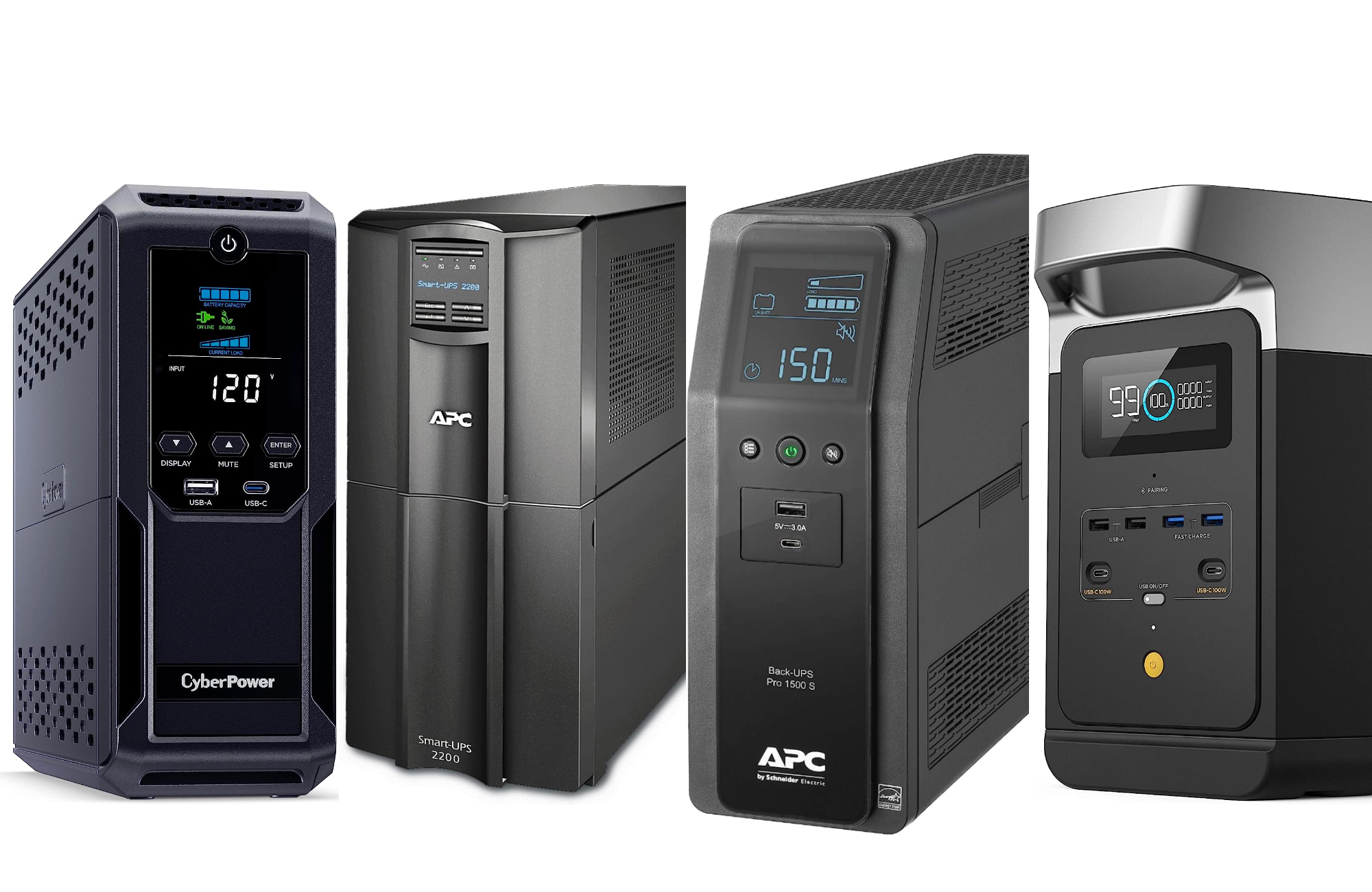

- Output waveform: True pure sine wave output, not a stepped square approximation of one
- Usable runtime: 1500VA and 900W covers a mid-range desktop plus a monitor comfortably
- Outlet layout: Ten outlets, six on battery and four wired for surge only
- Battery lifespan: The battery cartridge is user replaceable, so the unit outlives its cells
- Software support: USB and serial ports let a PC shut itself down cleanly on cue
- Status readout: The panel shows load, remaining runtime and battery health at a glance
- Weight: Heavy enough that you will site it once and leave it alone

- Output waveform: Sinewave output rated specifically for power supplies with active correction
- Usable runtime: A hundred watts more usable output than the APC at the same capacity
- Outlet layout: Twelve outlets in total, and ten of those sit on the battery
- Battery lifespan: Three-year warranty that covers the battery as well as the unit
- Software support: PowerPanel software handles scheduled shutdown better than most rivals
- Status readout: Large panel readout that cycles through load, runtime and input voltage
- Fan noise: The fan spins up under load and sits within earshot

- Output waveform: Simulated sine wave, which suits consoles and networking gear well
- Usable runtime: Same 1500VA capacity as the pure sine models for noticeably less
- Outlet layout: Ten outlets, though only five of them are backed by the battery
- Battery lifespan: Battery cartridge swaps out easily and costs little to replace
- Software support: PowerChute software handles shutdown scheduling on any Windows machine
- Waveform: Not suitable for a desktop with an active correction supply

- Output waveform: Simulated waveform, which is entirely fine for a router and a modem
- Usable runtime: 850VA holds a small home network up for a useful stretch of time
- Outlet layout: Twelve outlets with six on battery, plus coax and Ethernet pass-through
- Battery lifespan: Battery is replaceable and the unit sips very little power at idle
- Software support: PowerPanel software is included, though a network rarely needs it
- Capacity: Too small for a desktop computer and a monitor together

- Output waveform: Simulated waveform, acceptable for most server and switch power supplies
- Usable runtime: 1500VA in a chassis that racks or stands, which suits a cupboard build
- Outlet layout: Ten outlets with 650 joules of suppression behind all of them
- Battery lifespan: Metal chassis and a serviceable battery pack rather than a sealed one
- Software support: Takes a network management card, so it can be monitored over SNMP
- Noise: Not quiet, which rules it out of a bedroom or a living room

- Output waveform: Simulated waveform that suits a modem, a router and a small switch
- Usable runtime: 750VA is modest, and for networking gear it lasts a surprisingly long time
- Outlet layout: Twelve outlets on a unit this small, six of them battery backed
- Battery lifespan: Three-year warranty, and replacement cells are cheap and easy to find
- Software support: A USB port for shutdown signalling that a small server can use
- Runtime: Very short runtime if you attach anything power hungry
- No display: Indicator lights only, so no load or runtime readout

- Output waveform: Simulated waveform in a genuinely line-interactive design, not standby
- Usable runtime: 550VA suits a single small load and keeps the footprint tiny
- Outlet layout: Eight outlets with four on battery, which is generous for the size
- Battery lifespan: Battery is replaceable, and Eaton supports these for a long time
- Software support: Intelligent Power Manager software is surprisingly capable for the price
- Capacity: The smallest unit here, so plan the load carefully
- Availability: Stock comes and goes more than the mainstream brands

- Output waveform: Simulated waveform, adequate for office machines and network hardware
- Usable runtime: 900VA sits in the useful middle, covering a workstation or a shelf
- Outlet layout: Outlets are joined by USB-C and USB-A charging ports on the front
- Battery lifespan: Three-year warranty from a company that builds datacentre power gear
- Newness: A recent consumer line, so long-term reports are thin
- No software: Bundled monitoring software is basic next to what rivals ship

- Output waveform: Pure sine wave output, so a modern desktop supply is perfectly happy
- Usable runtime: 1000VA and 600W handles a desktop and one monitor without strain
- Outlet layout: Outlet count is adequate, and the layout leaves room for wall plugs
- Battery lifespan: Lithium cells last several times longer than a sealed lead acid pack
- Brand: Little history behind the name compared with the big three
- Support: Warranty support is untested next to the established brands here
- Price: Costs more up front than a lead acid unit of equal capacity

- Output waveform: Simulated waveform, so check a desktop power supply before committing
- Usable runtime: 2000VA and 1200W is the largest load capacity anywhere on this list
- Outlet layout: Six outlets, all of them rated to carry the full advertised load
- Battery lifespan: Three-year warranty and a battery pack that can be serviced later
- Waveform: Simulated output despite the price and the size of it
- Outlets: Only six outlets, which fills up faster than you expect
- Bulk: Large and heavy, and it needs floor space rather than a shelf
The Ten Units, Ranked
Ranked on output waveform and realistic runtime, then on outlet layout and battery servicing. Capacity alone settles very little here.
#1 · Editor's Choice
APC 1500VA Pure Sine Wave UPS Battery Backup
I keep coming back to waveform, because it decides whether a UPS suits your machine at all. A modern supply with active correction can misread a stepped waveform. It may buzz, refuse the transfer, or drop out.This one produces a true sine wave, so that whole problem disappears. The runtime readout is honest rather than optimistic, and I like that the battery is a cartridge you can swap yourself in a few years. It is heavy, though, and the four surge-only outlets are easy to fill by mistake. Label them.
The verdict: The one I would buy for a desktop, and the safest all-round choice here.
#2 · Runner-Up
CyberPower CP1500PFCLCD PFC Sinewave UPS Battery Backup
Almost every guide names this unit and the APC in the same breath, and that is fair. They do the same job. The differences are small.CyberPower gives you a hundred more usable watts, two more battery outlets and a warranty that includes the cells. Its shutdown software is better documented too. Against that, the fan is audible under load and the battery is less pleasant to replace. I would pick this for a server, the APC for a desk.
The verdict: Equal to the APC on paper, and better if you script your own shutdowns.
#3 · Best Value
APC BX1500M 1500VA UPS Battery Backup With AVR
Here is where people go wrong. They see the same capacity for less money and buy this instead of the model above. Sometimes that is exactly right.A games console, a router, a television, a media box: none of these care about waveform, and this unit will run them happily for the price of a smaller pure sine model. What it should not do is sit under a desktop PC built in the last decade. Check the power supply first. If it mentions active correction, spend the extra and buy the APC at the top instead.
The verdict: Great value for consoles and networking, wrong for a modern desktop.
#4 · Best For Home Networks
CyberPower EC850LCD Ecologic UPS Battery Backup Surge Protector
Most households do not need 1500VA. They need the router, the modem and the fibre box to stay awake through a ten-minute cut, so the video call survives and the doorbell keeps recording.This is the right size for that, and the one I fit behind cabinets. The GreenPower circuitry keeps idle draw low, which matters for something left on permanently. Coax and Ethernet pass-through is a nice touch. Do not stretch it to cover a computer too, though. Add up the wattage.
The verdict: Correctly sized for a home network, and priced like it too.
#5 · Best For Home Labs
Tripp Lite SMART1500LCDT 1500VA Rack Tower UPS
Once you have more than one machine to protect, the question changes. It stops being about runtime and starts being about coordination, because two hosts on one battery need to shut down in the right order.That is what the management card slot is for, and almost nothing else at this price offers one. The metal chassis feels like equipment rather than a consumer product, and it racks or stands as you prefer. It is deep, so check your rack before ordering, and it is audible. Neither matters in a cupboard.
The verdict: The pick once one battery has to look after several machines at once.
#6 · Best For Routers
Tripp Lite AVR750U 750VA UPS Battery Backup
This unit has been listed for years, and I think that tells you something. It does one job. Twelve outlets, voltage regulation, enough capacity for a network shelf, nothing else.What you give up is the display. There are indicator lights and no readout, so you cannot see load or estimated runtime without the software. For a box that sits behind the television keeping the internet alive, that is a limited loss. Attach a computer and the runtime collapses, which is the honest limit of a unit this size.
The verdict: Cheap, small, and exactly right for a shelf of networking equipment.
#7 · Smallest Proper Unit
Eaton 5S550 550VA Line Interactive UPS Battery Backup
Standby units switch to battery only when the power actually fails. Line-interactive units also correct voltage while running, which is the feature that protects against sags rather than outages. Most units this small are standby.This one is not, and that is the reason it is here. It is the smallest proper line-interactive unit I found, and it fits behind a television or under a desk without announcing itself. The capacity is tight, so add up your load honestly first. Eaton stock also comes and goes, which is worth knowing before you plan around it.
The verdict: Real voltage regulation in the smallest package on this list.
#8 · Best For Small Offices
Vertiv Liebert PowerUPS 100 PST6 900VA Battery Backup
Vertiv is the name behind a lot of datacentre power equipment, and this is the company bringing that engineering down to desk scale. The USB-C port on the front is the giveaway that it was designed recently.It is a sensible size for a small office: a workstation, a couple of monitors, a network switch. Voltage regulation is proper line-interactive rather than standby. The catch is that this consumer line is new, so there is not much long-term owner feedback yet, and the monitoring software is thin next to what CyberPower ships.
The verdict: Serious power engineering in a desk-sized box, with a short track record.
#9 · Best Lithium
GoldenMate 1000VA Lithium UPS Battery Backup Surge Protector
Every lead acid UPS on this page has a hidden cost. In three or four years the battery dies, and you either buy a cartridge or you throw the unit away. That is simply how the chemistry works.Lithium changes the arithmetic. These cells take several times more charge cycles, so the replacement may never come, and the unit weighs far less. Output is a true sine wave too. What holds it back is provenance: nobody can tell you yet how the warranty behaves. I still think it is worth it.
The verdict: The chemistry most UPS units will use eventually, available now.
#10 · Highest Wattage
Opti-UPS TS2000E 2000VA Line Interactive Battery Backup
A workstation with two monitors and a few peripherals can pull more than the 900W units here will carry. At that point capacity stops being a comfort margin and becomes the actual requirement.This is the only unit on the list that clears that bar, and it costs far less than an equivalent APC Smart-UPS. The compromise is the waveform: it is simulated rather than pure sine, which is an odd choice at this size. Check your power supply. Six outlets also disappear quickly once a workstation is plugged in properly.
The verdict: The capacity answer, provided your power supply tolerates the waveform.
How We Tested and Scored These Battery Backups
This ranking is research-led rather than a set of house bench runs. I worked from manufacturer specifications, live listing data and the published runtime measurements of independent labs. Then I ordered ten units on the things that actually decide whether a UPS suits a given job. Every unit was confirmed as a current, in-stock listing. Four candidates were dropped along the way, mostly because the search for a model number returned replacement battery cartridges rather than the unit itself.
- Output waveform: whether the unit produces a true sine wave or a stepped approximation, since active correction power supplies can reject the latter.
- Realistic runtime: what a unit holds up for at a plausible load, rather than the headline figure quoted at a fraction of its capacity.
- Outlet layout: how many outlets sit on the battery instead of surge-only, and whether the spacing takes a wall plug.
- Battery lifespan: chemistry, whether the cells are user replaceable, and what a replacement cartridge costs against a new unit.
- Software and signalling: whether a computer can be told to shut down cleanly, and how well documented that path is.
- Readout and noise: what the panel tells you, and whether the fan makes the unit unwelcome in a living room.
Waveform and realistic runtime carry the most weight, at roughly a third between them. Outlet layout and battery lifespan take about a quarter. Software, readout and noise make up the rest. Capacity is not scored on its own, because a large unit with the wrong waveform is no use to the machine that needs it. No manufacturer had any input into the order.
What to Look For in a UPS Battery Backup
Waveform comes first. A pure sine wave unit produces power shaped like the mains, and everything accepts it. A simulated sine wave unit produces a stepped approximation, which is cheaper and perfectly fine for a console, a router or a television. The problem is the active correction circuitry in modern computer power supplies. Some of those reject a stepped waveform, buzz on transfer, or refuse to switch at all. If the load is a desktop built in the last decade, buy pure sine.
Next, do the arithmetic on capacity. Units are advertised in volt-amperes, but watts are what your equipment draws, and the watt figure is always lower. A 1500VA unit is typically rated for 900W. Add up the wattage of everything you plan to plug in, then aim to use no more than about half the unit's watt rating. That headroom is what turns thirty seconds of runtime into several useful minutes.
Look closely at the outlets, because the marketing counts them all. Half are often surge-protected only, with no battery behind them. Those are for a printer or a desk lamp, not the thing you are protecting. Check the spacing too: a chunky wall plug can block two neighbouring outlets.
Finally, think about what happens in three years. Sealed lead acid cells degrade on a schedule whether you use them or not, so a unit with a user-replaceable cartridge has a much longer life than one you have to bin. Lithium units cost more up front and last several times as many cycles. And do not confuse any of this with a surge protector, which has no battery at all.
Who Needs Which Battery Backup
If the thing you are protecting is a desktop computer, buy the APC pure sine unit at the top and stop worrying. It has the right waveform, a replaceable cartridge and an honest runtime readout. The CyberPower beside it is the same class of product, and I would choose it instead for a home server, because its shutdown software is better documented.
Most households actually want something smaller. If the goal is keeping the internet alive through a short cut, the CyberPower Ecologic is correctly sized and cheap, and the Tripp Lite AVR750U is cheaper still. Neither will carry a computer as well, so resist the temptation to make one unit do both jobs.
For a cupboard with several machines in it, the rack-capable Tripp Lite is the only pick here that takes a management card, which is what lets multiple hosts shut down in order. A workstation with two monitors needs the Opti-UPS, simply because nothing else here carries the load. Check its waveform against your power supply first.
Two picks suit people thinking further ahead. The GoldenMate uses lithium cells that should outlast several lead acid replacements, and the Vertiv brings datacentre engineering to a desk. Both trade a proven record for something better.
Test Results
| Product | Capacity | Waveform | Battery outlets | Battery type | Best for |
|---|---|---|---|---|---|
| APC 1500VA Pure Sine Wave UPS Battery Backup | 1500VA / 900W | Pure sine | 6 of 10 | Lead acid | Desktop PCs |
| CyberPower CP1500PFCLCD PFC Sinewave UPS Battery Backup | 1500VA / 1000W | PFC sinewave | 10 of 12 | Lead acid | Home servers |
| APC BX1500M 1500VA UPS Battery Backup With AVR | 1500VA / 900W | Simulated | 5 of 10 | Lead acid | Consoles |
| CyberPower EC850LCD Ecologic UPS Battery Backup Surge Protector | 850VA / 510W | Simulated | 6 of 12 | Lead acid | Home networks |
| Tripp Lite SMART1500LCDT 1500VA Rack Tower UPS | 1500VA / 900W | Simulated | All 10 | Lead acid | Home labs |
| Tripp Lite AVR750U 750VA UPS Battery Backup | 750VA / 450W | Simulated | 6 of 12 | Lead acid | Routers |
| Eaton 5S550 550VA Line Interactive UPS Battery Backup | 550VA / 330W | Simulated | 4 of 8 | Lead acid | Small loads |
| Vertiv Liebert PowerUPS 100 PST6 900VA Battery Backup | 900VA | Simulated | Not published | Lead acid | Small offices |
| GoldenMate 1000VA Lithium UPS Battery Backup Surge Protector | 1000VA / 600W | Pure sine | Not published | Lithium | Long service life |
| Opti-UPS TS2000E 2000VA Line Interactive Battery Backup | 2000VA / 1200W | Simulated | All 6 | Lead acid | Workstations |
Frequently Asked Questions
How long does a UPS battery backup actually last
Two things are being asked there, so let me split them. On battery, expect five to fifteen minutes at a sensible load, which is enough to save work and shut down. As a product, sealed lead acid cells degrade over roughly three to five years whether you use them or not. Lithium units last considerably longer.
What size UPS do I need for my PC
Add up the watts, then double it. A typical desktop and monitor draw somewhere near two hundred watts under load, so a unit rated around 900W gives generous headroom and a useful runtime. Buying tight to your actual draw is the common mistake. It leaves you with barely a minute of battery.
Do I need a pure sine wave UPS
If you are protecting a modern desktop, yes. Power supplies with active correction can reject a stepped waveform outright, or buzz and refuse the transfer. Consoles, routers, televisions and media boxes do not care. Some medical devices and pump motors do care, so check the manual before assuming a cheaper unit will serve.
Can a UPS run a refrigerator
Briefly, and not well. A fridge compressor draws a large surge when it starts, which can be several times its running wattage, and most home units will trip rather than carry it. If keeping a fridge alive through outages is the goal, a portable power station or a generator is the right tool instead.
How do you replace a UPS battery
On most units it is a five-minute job. A panel comes off the front or the base, the old cartridge slides out, and the new one clicks in with the unit still running. Look for the words user replaceable before buying. Where cells are sealed inside, replacement means a service visit or a new unit.
Is a UPS better than a surge protector
They do different jobs, so it is not really a comparison. A surge protector clamps voltage spikes and has no battery, so it does nothing during a cut. A UPS holds power up and usually includes surge suppression as well. If your equipment matters, you want the one with a battery in it.
The Bottom Line
For a desktop, the APC pure sine unit is where I would put my own money. The waveform is right for a modern power supply, the cartridge is replaceable, and the readout tells you the truth about runtime. The CyberPower sitting next to it is just as good and slightly better for a server.
Everything else here answers a narrower question. Size the unit against the watts you actually plug in, check the waveform against the power supply, and count how many outlets have a battery behind them. Get those three right and the cheapest suitable unit on this page will do the job perfectly well.
As an Amazon Associate I earn from qualifying purchases. See our affiliate disclosure for details. Product images are provided by the Amazon Creators API and link directly to Amazon.