10 Best SSDs of 2026, Researched & Ranked
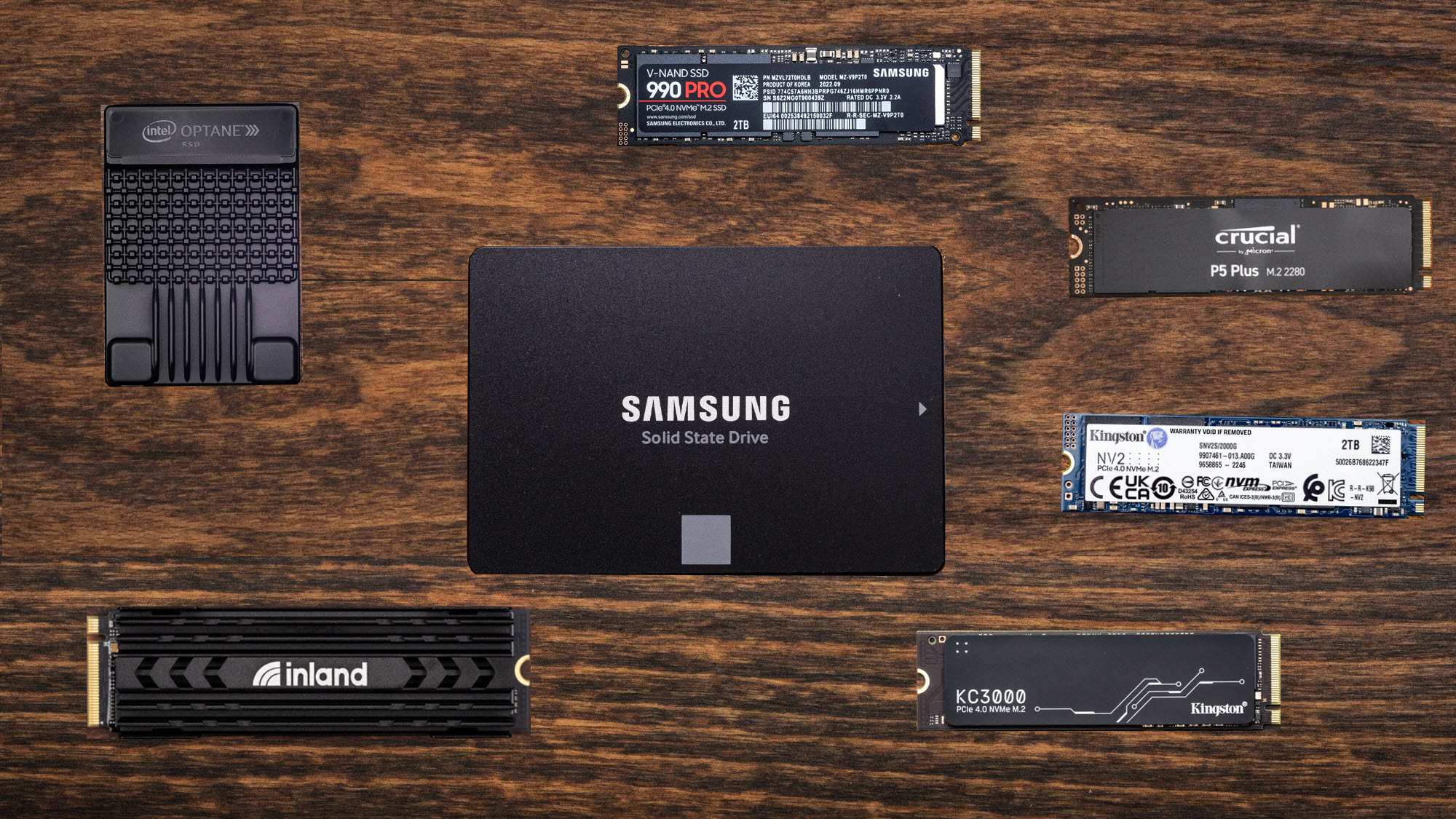
Almost every drive on this page will beat the one in your machine on a benchmark, and almost none of them will feel different when you open a browser. The gap shows up somewhere less glamorous: halfway through a large file copy, when the fast cache runs out and the drive has to write at its real speed. My overall pick is the Samsung 990 Pro 2TB PCIe 4.0 NVMe Internal SSD, because it holds its figure longer than anything near its price.
Ten drives below, ranked on sustained throughput first and interface generation second. One thing worth saying early: Gen5 is a real step forward for a small number of jobs, and close to invisible for gaming.

- Sustained speed: Holds close to peak Gen4 throughput through long file copies
- Cache behavior: Full DRAM cache, so writes past the burst window stay steady
- Thermal headroom: Nickel-coated controller and label heatspreader keep it off the throttle
- Endurance rating: Rated for 1,200 TBW at this capacity, which suits a boot drive
- Slot fit: Standard 2280 board that fits desktop shrouds and most laptop bays
- Drive software: Magician software handles firmware, health checks and secure erase locally
- Premium: Costs clearly more than drives that feel identical in daily use

- Sustained speed: Random reads sit slightly ahead of the Samsung on the same interface
- Cache behavior: Full DRAM cache running behind a controller designed in house
- Thermal headroom: A factory heatsink version exists for boards with no M.2 shroud
- Endurance rating: Also rated at 1,200 TBW, matching the Samsung on paper exactly
- Slot fit: Same 2280 footprint, and the bare version clears most laptop lids
- Drive software: Dashboard reports drive temperature and health without a reboot first
- Sequential: Slightly behind the Samsung on headline sequential read speed

- Sustained speed: Gen5 sequential reads run roughly double what Gen4 drives manage
- Cache behavior: Phison controller with a full cache tier sitting behind the NAND
- Thermal headroom: Needs its heatsink, and the bundled version is the sane purchase
- Endurance rating: Endurance matches the Gen4 flagships despite the far faster interface
- Slot fit: Standard 2280 board, though Gen5 drives are fussier about placement
- Heat: Runs hot enough that airflow stops being an optional extra

- Sustained speed: Reaches full Gen4 read speed for well under flagship money
- Cache behavior: Keeps a DRAM cache where most cheap drives quietly drop it
- Thermal headroom: Graphene label spreads heat without adding any extra slot height
- Endurance rating: Five-year warranty puts it level with the first-tier brands here
- Slot fit: Runs cool enough for a laptop bay with no heatsink fitted
- Support: Firmware tooling is thinner than the big brands provide

- Sustained speed: Sequential reads trail the flagships, and ordinary use hides the gap
- Cache behavior: SLC cache rather than DRAM, which is why the power draw stays low
- Thermal headroom: Runs noticeably cooler than a DRAM drive inside a thin chassis
- Endurance rating: Warranty runs a full five years, the same as the premium drives
- Slot fit: Single-sided board clears slim laptop bays and handheld console slots
- Sustained: Long writes slow once the cache window has been used up

- Sustained speed: Comfortably past the throughput a console expansion bay asks for
- Cache behavior: Full cache tier with a mature Phison controller sitting underneath
- Thermal headroom: The factory heatsink is sized to let a console bay cover close
- Endurance rating: Rated at 1,400 TBW, the highest endurance figure in this group
- Bulk: The fitted heatsink makes it awkward in a laptop bay
- Price: Sits above cheaper drives that clear the same console bar

- Sustained speed: Holds high Gen4 read speed across the very large capacities
- Cache behavior: Runs without DRAM, borrowing host memory in place of onboard cache
- Thermal headroom: Heatsink arrives fitted for roughly what bare rivals ask instead
- Endurance rating: Five-year warranty on a drive priced below the badge brands
- Slot fit: Available up to four terabytes inside the same 2280 footprint
- Cache: Host memory buffer is slower than a true onboard cache
- Random: Small random writes lag the DRAM drives above it

- Sustained speed: Tuned for long sustained transfers rather than very short burst peaks
- Cache behavior: Full cache tier sized for the kind of scratch-disk work editors do
- Thermal headroom: Wants airflow, and a board shroud is close to mandatory here
- Endurance rating: Endurance is quoted high enough for daily video ingest and export
- Benchmarks: Loses headline benchmark runs to the Crucial drive above
- Airflow: Needs a shroud or it will throttle inside a warm case
- Software: Utility set is functional rather than polished, unlike the flagship tools

- Sustained speed: Reaches the same Gen4 read ceiling as far pricier drives here
- Cache behavior: Keeps a DRAM cache at a distinctly mid-market asking price
- Thermal headroom: Graphene label handles heat without needing a separate heatsink block
- Endurance rating: Rated at 1,300 TBW, sitting between the two flagships in this list
- Obscurity: Nobody thinks of Acer when shopping for storage components
- Tooling: No health dashboard or firmware utility that is worth installing

- Sustained speed: Reads at 560 MB/s, the interface ceiling rather than a drive limit
- Cache behavior: Mature controller and firmware, with none of the early SATA quirks
- Thermal headroom: Barely warms up, because the interface caps power draw anyway
- Endurance rating: Endurance is entirely adequate for a backup or media volume
- Interface: SATA caps it at a fraction of any NVMe drive here
- Upgrade path: A dead end if the machine later gains an M.2 slot
The Ten Drives, Ranked
Ranked on sustained write behavior and cache design, then on endurance and thermals. Interface generation only breaks a tie when the workload actually reads it.
#1 · Editor's Choice
Samsung 990 Pro 2TB PCIe 4.0 NVMe Internal SSD
Copy a hundred gigabytes of video onto a budget drive and the transfer rate falls off a cliff about a third of the way through. Preventing that collapse is the whole job of a full DRAM cache, and it is why this drive still anchors the category.Samsung controls its own controller and NAND, which shows in how little the numbers move under load. There is a catch, though: you pay a clear premium, and the Silicon Power drive further down matches it on a long copy most owners would never measure.
The verdict: The safe answer, and the drive every other pick here gets measured against.
#2 · Runner-Up
WD_BLACK SN850X 2TB NVMe Internal Gaming SSD
Sequential numbers get printed on the box, but game loading leans harder on small random reads, and that is where this drive edges past the Samsung. Its Game Mode firmware is less of a gimmick than it sounds.I have run one in a console bay and a desktop, and it behaved identically in both. Buy the heatsink version if the motherboard has no shroud. The only real knock is a headline read figure that trails the pick above, which matters outside a benchmark to nobody.
The verdict: The gaming pick, and the one I would put in a console without thinking.
#3 · Fastest Interface
Crucial T705 2TB PCIe Gen5 NVMe Internal SSD
This is the fastest thing you can put in a consumer motherboard, and for most people that is a fact rather than a reason. Gen5 pays off when a job reads enormous files end to end.It earns the money on a timeline that never stutters. It does not earn it in a game launcher, where the gap against the WD_BLACK above is close to unmeasurable. It runs hot, too, so the heatsink is not something you can reasonably skip.
The verdict: Buy it for a scratch disk, not for a games library, and buy the heatsink.
#4 · Best Value
Silicon Power US75 2TB PCIe Gen4 NVMe SSD
The interesting thing about this drive is what it did not remove. Nearly every maker hitting a lower price drops the DRAM cache first, because the spec sheet barely moves and the sustained write behavior quietly worsens. Silicon Power kept it.It reads within a rounding error of the Samsung on a long copy, for meaningfully less. The trade is support: firmware tools are basic, with none of the health dashboards the flagships ship. For a second drive holding a library, that is a limited loss.
The verdict: The drive I recommend when someone tells me their budget is fixed.
#5 · Best For Thin Laptops
TeamGroup MP44L 2TB PCIe Gen4 NVMe Laptop SSD
Laptop upgrades fail for boring physical reasons. The board is double-sided and fouls the chassis, or the drive cooks in a bay with no airflow and throttles inside a minute. This one is single-sided and sips power, which solves both at once.With no DRAM, a sustained write eventually drops to raw NAND speed, and a very large transfer will show it. In a machine that boots, compiles and browses, though, that floor never surfaces. It also fits a handheld slot, which the thicker drives above cannot.
The verdict: The upgrade to buy when the machine is thin and the airflow is poor.
#6 · Best For PS5
Corsair MP600 Pro LPX 2TB NVMe SSD With Heatsink
Console upgrades go wrong at the heatsink, not the drive. People buy a bare stick, clip on a generic aluminium block, then find the bay cover will not sit flush. Corsair sized this one properly.Throughput is well past what the console asks, and the endurance rating is the highest here, so a library that gets rewritten constantly is no worry. The downside mirrors the strength: that heatsink makes a poor laptop candidate, and cheaper drives clear the same bar if you fit your own.
The verdict: The console drive that arrives already the right shape for the bay.
#7 · Best For Big Libraries
Lexar NM790 2TB NVMe Internal SSD With Heatsink
At some point a games library stops being a folder and becomes a storage problem. That is when cost per terabyte matters more than peak throughput, and this is the cheapest sensible route to a genuinely large fast drive.It borrows system memory instead of carrying its own cache, so small random writes are not its strength and a DRAM drive beats it there. Installing and launching games is almost entirely sequential work, though, which is why the compromise lands well here.
The verdict: The one to buy when the problem is capacity rather than raw speed.
#8 · Best For Video Work
Sabrent Rocket 5 2TB PCIe Gen5 Internal SSD
Benchmark charts reward whichever drive holds the highest number for four seconds. Editing asks the opposite: write continuously for twenty minutes, and punish anything that fades. Sabrent tuned this one for the second job.So it loses the chart to the Crucial and wins the export. The over-provisioning controls in its utility are genuinely useful if you want to trade capacity for consistency. It is a demanding drive to house, though, and without a shroud it backs off sooner than you want.
The verdict: A working drive rather than a benchmark drive, and priced sensibly for it.
#9 · Overlooked Bargain
Acer Predator GM7 2TB PCIe Gen4 NVMe SSD
Nobody shops for storage by looking at Acer, which is the only real argument against this drive. On the specification that matters it is a full DRAM Gen4 drive hitting the same read ceiling as the Samsung, at close to value money.The graphene label does enough thermally that a desktop slot needs nothing added, and the warranty is ordinary and honoured. What you give up is tooling: no dashboard, no updater worth the download, no health reporting beyond what Windows offers.
The verdict: The quiet bargain of this list, if you can get past the badge on it.
#10 · Best Without M.2
SanDisk Ultra 3D 2TB Internal Solid State Drive
Plenty of machines still in daily service have no M.2 slot at all. A 2015 laptop, an office desktop, a media box under a television: for all of these the question is whether to replace a spinning disk at all.Do it. Moving from a mechanical drive to any solid state drive is the largest single improvement available to an old machine, and it dwarfs the gap between this and the Samsung. The interface caps it well below NVMe speed, which is a real limit and beside the point here.
The verdict: The right drive for a machine that cannot take anything faster.
How We Tested and Scored These Drives
This list is research-led rather than a set of house bench runs. I worked from manufacturer specifications, live listing data and the published measurement work of independent labs, then ranked ten drives on the handful of properties that change how a machine feels. Every drive was confirmed as a current, in-stock, first-party listing. Four candidates were dropped during that check, either because the live listing carried no price or because the capacity sold was not the one the model name implied.
- Sustained write behavior: what a drive does after its fast cache is exhausted, measured on long sequential copies rather than short benchmark bursts.
- Cache architecture: whether the drive carries a true DRAM cache, an SLC scheme or a host memory buffer, since that choice sets the floor speed.
- Thermal behavior: how quickly a drive backs off in a slot with poor airflow, and whether a heatsink is optional or effectively required.
- Endurance: the rated terabytes written at the capacity on test, read against a realistic yearly write volume rather than in the abstract.
- Physical fit: single-sided or double-sided board, heatsink height, and whether the drive clears a laptop lid or a console bay cover.
- Support and tooling: firmware updates, health reporting and warranty length, which is where cheaper drives usually give ground.
Sustained behavior and cache design carry roughly a third of the weight between them. Endurance and thermals take about a quarter, physical fit and tooling the remainder. Interface generation is not scored on its own, because a Gen5 drive that throttles is slower in practice than a Gen4 drive that does not. No manufacturer had input into the order.
What to Look For in an SSD
Start with the cache, because it sets the worst case rather than the best one. A drive with a full DRAM cache holds its write speed more or less indefinitely. A DRAM-less drive runs fast into a small SLC window and then drops to the raw speed of the NAND underneath, which can be a fifth of the headline figure. If most of what you do is boot, launch and browse, that floor never shows itself. If you move large video files or clone drives, it is the only number that matters.
Interface generation is the spec people over-buy on. PCIe 4.0 x4 is the sensible default and covers everything a home machine asks of storage. Gen5 doubles sequential throughput and, in return, runs hot enough that a heatsink stops being optional. Game loading barely responds to it, because games read in small scattered chunks rather than long streams. Video scratch work and very large dataset reads respond a great deal. Buy the interface your workload actually uses.
Capacity deserves more thought than speed. A one-terabyte drive fills faster than anyone expects once a couple of large games are installed, and a drive above roughly ninety percent full loses write speed because the controller has nowhere to shuffle blocks. Two terabytes is the comfortable middle ground, and four makes sense for a library rather than a working set.
Then check the physical fit, which sounds obvious and catches people constantly. A double-sided board fouls some laptop chassis. A tall aftermarket heatsink stops a console bay cover closing. Some handhelds take a shorter 2230 board and nothing else. Endurance ratings are worth a glance and rarely worth worrying about.
Who Needs Which Drive
If you want one drive and no further thinking, take the Samsung. It is the reference point for the category, it holds its speed under load, and its software is the least annoying. If the machine is mainly for games, the WD_BLACK edges it on the small random reads that actually govern level loading, and the price sits in the same region.
Budget-led buyers are unusually well served here. The Silicon Power drive keeps the DRAM cache that most cheap drives abandon, and the Acer does the same thing while nobody notices. Either one is a genuinely good drive rather than a compromise. If the target is a thin laptop or a handheld, the TeamGroup is the pick, because a single-sided board and low power draw solve the two problems that actually cause failed upgrades.
Specialists should read further down. A console owner wants the Corsair, already wearing a heatsink that lets the bay close. Anyone editing video should look at the Sabrent for sustained writes, or the Crucial if the case has airflow to spare. A large games library points at the Lexar, where four terabytes in one slot beats any argument about cache design.
If the machine has no M.2 slot, none of that applies. Buy the SanDisk, fit it in the 2.5-inch bay, and accept the interface as the limit. Moving off a mechanical disk will still be the biggest speed lift that machine ever gets.
Test Results
| Product | Interface | Rated read | Cache design | Endurance | Best for |
|---|---|---|---|---|---|
| Samsung 990 Pro 2TB PCIe 4.0 NVMe Internal SSD | PCIe 4.0 x4 | 7,450 MB/s | Full DRAM | 1,200 TBW | All-round use |
| WD_BLACK SN850X 2TB NVMe Internal Gaming SSD | PCIe 4.0 x4 | 7,300 MB/s | Full DRAM | 1,200 TBW | Gaming |
| Crucial T705 2TB PCIe Gen5 NVMe Internal SSD | PCIe 5.0 x4 | 14,500 MB/s | Full DRAM | 1,200 TBW | Scratch disk |
| Silicon Power US75 2TB PCIe Gen4 NVMe SSD | PCIe 4.0 x4 | 7,000 MB/s | Full DRAM | Not published | Value builds |
| TeamGroup MP44L 2TB PCIe Gen4 NVMe Laptop SSD | PCIe 4.0 x4 | Up to 5,000 MB/s | SLC cache | Not published | Thin laptops |
| Corsair MP600 Pro LPX 2TB NVMe SSD With Heatsink | PCIe 4.0 x4 | 7,100 MB/s | Full DRAM | 1,400 TBW | Console bays |
| Lexar NM790 2TB NVMe Internal SSD With Heatsink | PCIe 4.0 x4 | 7,400 MB/s | Host memory | Not published | Large libraries |
| Sabrent Rocket 5 2TB PCIe Gen5 Internal SSD | PCIe 5.0 x4 | Up to 14,000 MB/s | Full DRAM | Not published | Video work |
| Acer Predator GM7 2TB PCIe Gen4 NVMe SSD | PCIe 4.0 x4 | 7,400 MB/s | Full DRAM | 1,300 TBW | Desktop builds |
| SanDisk Ultra 3D 2TB Internal Solid State Drive | SATA III | 560 MB/s | Onboard | Not published | Older machines |
Frequently Asked Questions
How long do SSDs last in normal use
Far longer than most owners keep the machine. Endurance is rated in terabytes written, and a desktop writes a small fraction of that yearly, so a rating in the low thousands covers a decade. Controllers usually fail before the NAND wears out, which argues for a five-year warranty rather than for chasing endurance figures.
What is the difference between NVMe and SATA
SATA is the older bus and caps out around a tenth of what NVMe manages. NVMe drives sit in an M.2 slot and talk over PCIe lanes, removing the bottleneck. The rule is simple: if the machine has a free M.2 slot, use it. If it only has 2.5-inch bays, SATA still beats a spinning disk.
Do I need a heatsink for a Gen5 SSD
Yes, and budget for it up front. Gen5 controllers draw enough power to throttle within a minute in an unshrouded slot, and a throttled Gen5 drive is slower than a cool Gen4 one. Many boards ship a shroud over the primary slot. If yours does not, buy the version with one fitted.
Is PCIe Gen5 worth it for gaming
Honestly, no. Games read in small scattered chunks rather than long streams, so the huge Gen5 throughput figure barely touches level loading. That money buys more capacity or a better graphics card. Gen5 earns its keep on video scratch work and file transfers measured in hundreds of gigabytes.
How much SSD storage do I actually need
Two terabytes is the comfortable middle ground for a single-drive machine. A couple of large modern games and a photo library fill a one-terabyte drive quickly, and write speed drops once a drive passes roughly ninety percent full. Four terabytes makes sense only for storing a library.
Can I put any M.2 SSD in a PS5
Not quite any. The console wants a PCIe 4.0 NVMe drive in the 2280 length, with a heat spreader fitted because the bay has no airflow. Height matters too, since several aftermarket heatsinks stop the cover closing. The tidiest answer is a drive sold with a console-sized heatsink attached.
The Bottom Line
The Samsung 990 Pro is still the drive I would hand somebody who wants to stop thinking about storage, because it holds its speed when the cache runs dry. The WD_BLACK SN850X is genuinely close and slightly better for games.
Below them the picture is more interesting than it was. Silicon Power and Acer both sell a full DRAM Gen4 drive for mid-market money, which makes the flagships look like a luxury. Match the drive to the slot and the workload, and any pick here will serve.
As an Amazon Associate I earn from qualifying purchases. See our affiliate disclosure for details. Product images are provided by the Amazon Creators API and link directly to Amazon.