10 Best Portable Monitors of 2026, Researched & Ranked
One specification decides whether a portable monitor works with your laptop, and it is not on the monitor's box. The laptop's USB-C port has to support video output, and plenty of cheaper machines do not. Check that first. My overall pick is the ViewSonic VG1655 15.6 Inch Portable Monitor With Stand, chosen mostly for a stand that actually adjusts.
Ten displays below, ranked on panel and stand design first, then on inputs and support. The folio cover almost every rival ships is the biggest everyday annoyance in this category, so I have weighted a proper stand heavily.
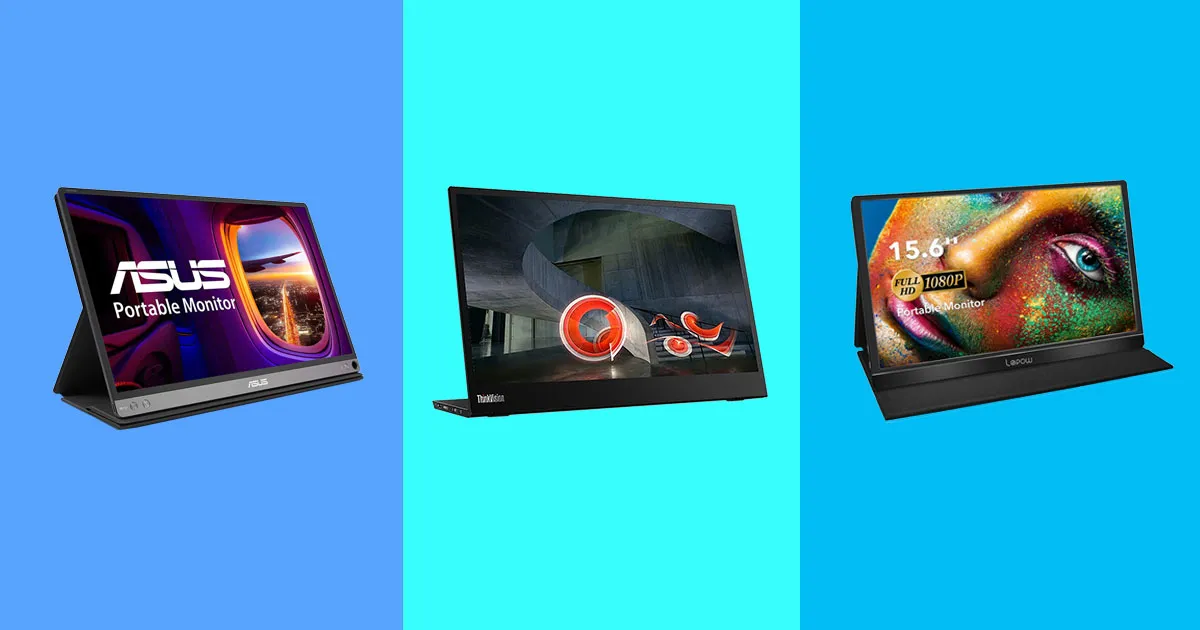

- Panel character: A calm, accurate IPS panel with no obvious tint straight out of the box
- Brightness on offer: Bright enough for an office or a train, though not for direct sunlight
- Stand or cover: The only integrated stand here that adjusts for height and pivots upright
- Single cable use: Runs from one USB-C cable, with power delivery passing through to the laptop
- Input selection: Two USB-C ports plus mini HDMI, so a console or a camera connects too
- Warranty and support: Three-year warranty, which is roughly triple the category norm
- Resolution: Only 1080p, which looks soft beside the 4K panels here

- Panel character: Crisp IPS panel in a taller 16:10 shape that suits documents better
- Brightness on offer: Brightness is solid indoors, and the matte finish handles office lighting
- Stand or cover: Smart cover props it at two angles, which is the best of the folio designs
- Single cable use: Single USB-C cable carries video and power in both directions cleanly
- Input selection: USB-C only, so a console needs an adapter rather than plugging straight in
- Warranty and support: Asus warranty and RMA process, which half this market cannot match
- No HDMI: No HDMI input, so consoles and cameras need an adapter

- Panel character: Competent IPS panel with slightly wider colour coverage than the price implies
- Brightness on offer: Brightness is adequate indoors and struggles anywhere near a window
- Stand or cover: Magnetic folio cover with two viewing angles, which is standard at this price
- Single cable use: One USB-C cable is enough if the host port supports video output
- Input selection: Two USB-C ports plus mini HDMI covers laptops, consoles and handhelds
- Cover only: Folio cover instead of a stand, so it slides on smooth desks
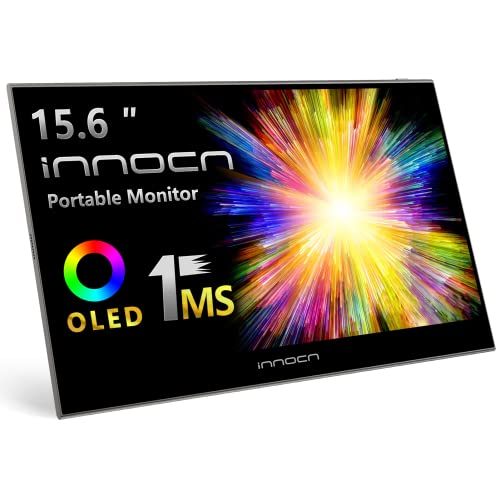
- Panel character: A genuine OLED panel, so blacks are black rather than dark grey
- Brightness on offer: Peak brightness is high in small areas, which suits video more than spreadsheets
- Stand or cover: Folio cover with two angles, and the panel itself is strikingly thin
- Single cable use: Single USB-C operation, though OLED draws more power than an IPS panel
- Input selection: USB-C plus mini HDMI, so a console or a player connects directly
- Power draw: Draws more power, so a laptop battery drains noticeably faster

- Panel character: Even, accurate IPS panel tuned for documents rather than for saturation
- Brightness on offer: Rated at 300 nits, which is enough for an airline tray table in daylight
- Stand or cover: Integrated hinge stand rather than a cover, so nothing separate can be lost
- Single cable use: One USB-C cable, and the second port passes power through to the laptop
- Input selection: USB-C only, matching the ThinkPad machines it is designed to sit beside
- No HDMI: USB-C only, so older laptops and consoles are excluded

- Panel character: Low blue-light IPS panel tuned for long document sessions rather than film
- Brightness on offer: Brightness is fine in an office and ordinary anywhere brighter than that
- Stand or cover: Slim integrated stand in an aluminium chassis, with no cover to misplace
- Single cable use: Single USB-C connection with power delivery passing back to the laptop
- Input selection: Two USB-C ports, which is all a corporate laptop fleet actually needs
- Price: Costs more than better-specified displays from the smaller brands

- Panel character: A sharp 4K IPS panel where text stops looking soft at normal viewing distance
- Brightness on offer: Brightness is decent, though 4K on a small panel needs good lighting
- Stand or cover: Folio cover with two angles, plus VESA holes for a proper arm instead
- Single cable use: One USB-C cable drives it, provided the host can supply enough power
- Scaling: 4K on a panel this size needs display scaling to be readable
- Brand support: A marketplace brand, so warranty support is a genuine unknown

- Panel character: Plain, honest IPS panel with an anti-glare coating and no obvious tint
- Brightness on offer: Brightness is modest, which is the expected compromise at this price
- Stand or cover: Folio cover included, and the chassis is slimmer than most rivals here
- Single cable use: Single USB-C operation, with mini HDMI as a fallback for older machines
- Basic panel: Ordinary colour coverage, so photo work is not its strength
- Cover only: No stand at all, so it relies on the folio cover
- Brightness: Modest brightness, which shows near any window in daylight

- Panel character: Basic IPS panel that is perfectly readable for documents and video calls
- Brightness on offer: Brightness is low, so a bright room or outdoors is out of the question
- Stand or cover: Cover doubles as a stand, and built-in speakers save carrying anything else
- Single cable use: One USB-C cable works, and mini HDMI covers machines that cannot manage it
- Colour: Colour coverage is narrow, so images look flatter than they should
- Dim panel: Dim enough that daylight through a window washes it out
- Speakers: Built-in speakers are thin, and nobody will use them twice

- Panel character: OLED panel at 2K on a small screen, so the pixel density is genuinely high
- Brightness on offer: Small-area brightness is strong, and contrast does the rest of the work
- Stand or cover: Magnetic cover stand included, and the panel is thin enough to forget
- Single cable use: Single USB-C operation, with mini HDMI available for other sources
- Small screen: Thirteen inches is tight for genuine side-by-side desk working
- Brand support: Small brand, so warranty and spares are an unknown quantity
The Ten Displays, Ranked
Ranked on panel and stand design, then on single-cable operation and inputs. Warranty and support settle the close calls, because half this market has neither.
#1 · Editor's Choice
ViewSonic VG1655 15.6 Inch Portable Monitor With Stand
The folio cover is the thing everybody complains about after a fortnight. It props the screen at one angle, slides on a desk, and collapses if the table wobbles. A real stand solves all of that, and almost nobody fits one.ViewSonic does, with height adjustment and a pivot into portrait, which makes this the only display here that behaves like a monitor rather than a tablet leaning on a case. The panel is accurate and the warranty runs three years. It is only 1080p, though, which looks soft next to the 4K panels further down.
The verdict: The one to buy for daily use, and the stand is the whole argument.
#2 · Runner-Up
Asus ZenScreen MB16NCG 15.6 Inch 155Hz Portable Monitor
A 155Hz refresh rate on a portable display is unusual and more useful than it sounds. It is not really about games; it is that scrolling and window dragging feel like the laptop screen rather than a slideshow beside it.The 16:10 shape is the other quiet advantage, giving noticeably more vertical room for documents and code than a 16:9 panel of the same width. The aluminium chassis feels genuinely good. The omission is HDMI: this is USB-C only, so anything that is not a modern laptop needs an adapter.
The verdict: The best-built display here, provided everything you own speaks USB-C.
#3 · Best Value
Arzopa Z1FC 16.1 Inch 144Hz Portable Gaming Monitor
Refresh rate per unit of money is where this display wins outright. A 16.1 inch 144Hz panel usually costs a great deal more, and Arzopa has been undercutting the mainstream brands on exactly this specification for a while.Colour coverage is slightly better than expected too, so it is usable for light photo work. The compromises are predictable: brightness fades in a bright room, and there is a folio cover in place of a stand. Set against the Asus above, I think most people would take that deal.
The verdict: The most display for the money here, with the usual folio cover caveat.
#4 · Best OLED
Innocn 15.6 Inch OLED Portable Monitor With HDR
Watch anything with a night scene on an IPS portable and the black bars go grey. That is the whole case for OLED here, and at this price it used to be impossible.Contrast is in a different class, response time is effectively instant, and the colour coverage is wide enough for grading work on the move. The trade is power: OLED asks more of the laptop, so a battery that lasted a flight now lasts most of one. For film, video editing and games it is worth it. For spreadsheets it is not.
The verdict: Buy it for video work, and avoid it when running on battery.
#5 · Best For Travel
Lenovo ThinkVision M14 14 Inch Portable Monitor
Fourteen inches is the size that actually travels. A larger screen does not fit a laptop sleeve, which means a second bag, which means it stays at home after the first trip.Lenovo built this one like a ThinkPad, with a hinge stand rather than a folio and a chassis that survives being thrown in with everything else. Under two pounds, 300 nits, and a business support channel behind it. The panel is only 1080p and there is no HDMI, so it pairs with a modern laptop and nothing else.
The verdict: The display that survives daily travel, and the size is the reason.
#6 · Best For Business
Dell Pro 14 Plus P1425 Portable Business Monitor
Corporate purchasing is a genuine constraint, and it is the reason this display exists. A finance department that will not approve a marketplace brand will approve this without a conversation, and the support entitlement is the same as the laptop.Beyond the paperwork it is a sensible fourteen-inch panel with automatic rotation, low blue-light filtering and a stand built into the chassis. What it is not is good value on specification: smaller brands sell sharper panels for less. You are paying for the warranty and the invoice.
The verdict: The one procurement will sign off, and priced accordingly for it.
#7 · Best 4K
Uperfect 4K Portable Touchscreen Monitor 15.6 Inch
Sharpness is the one thing a cheap portable monitor cannot fake. Put a low-res panel next to a modern laptop screen and text looks soft, which distracts in exactly the work these displays get bought for.This fixes that for less than any established brand charges, and adds a touch layer that needs no driver. VESA holes mean it can go on an arm rather than a cover. The catches are real: 4K on this size needs scaling to be readable, it wants a capable USB-C port, and warranty support from a marketplace brand is a gamble.
The verdict: The sharpest panel here for the outlay, with warranty risk attached.
#8 · Best Budget
MSI Pro MP161 15.6 Inch Portable Monitor Display
What you are buying at this end is a support channel. Every marketplace brand sells a similar panel, and the difference arrives when something fails and you need somebody to answer.MSI is a first-tier PC brand with a real returns process, and this is the cheapest portable display any of them sell. The panel is ordinary, the brightness is modest, and it ships with a cover rather than a stand. As the safe budget option rather than the cheapest option, it makes a lot of sense.
The verdict: A real brand at a budget price, which is rarer here than it should be.
#9 · Cheapest Pick
KYY 15.6 Inch 1080p Portable Monitor With Cover
Sometimes the requirement is genuinely just a second screen. Email on one side, a document on the other, in a hotel room with the curtains shut. Nothing on this page does that job cheaper.Two USB-C ports, mini HDMI, a cover that folds into a stand and speakers nobody will love. The panel is dim and the colour is narrow, so anything involving images looks flat. Weighed against the MSI above, I would still pay a little more for a brand with a returns desk.
The verdict: The cheapest working second screen here, and it feels like it.
#10 · Best Compact Touch
Magedok 13.3 Inch 2K OLED Portable Touch Monitor
Thirteen inches sounds too small until you try carrying a 16 inch panel through an airport. This fits in a jacket pocket, which changes when it gets used rather than just how it performs.It is also OLED at 2K, so pixel density is high and black levels sit far below anything the cheap IPS panels manage. Touch works without drivers. The obvious limit is working area: thirteen inches is tight for genuine side-by-side work, and Magedok is a small brand with an unknown support story.
The verdict: Pocketable and genuinely good looking, if you can live with the size.
How We Tested and Scored These Displays
This ranking is research-led rather than a set of house measurements. I worked from manufacturer specifications, live listing data and the published panel testing of independent labs, then ordered ten displays on the properties that decide whether one is pleasant to use. Every display was confirmed as a current, in-stock listing. Four candidates were dropped, either because the part number has been retired or because the only remaining listing was a renewed unit with no price.
- Panel character: resolution, colour coverage and contrast, judged for the work these displays actually get used for.
- Brightness: whether the panel copes with an office, a train window or genuine daylight, since portable displays are used in all three.
- Stand design: a proper adjustable stand, an integrated hinge or a folio cover, which is the single biggest everyday difference between these.
- Single-cable operation: whether one USB-C cable carries video and power, and how demanding the display is of the host port.
- Input selection: HDMI as well as USB-C, which decides whether consoles, handhelds and older laptops can connect.
- Support: whether a real warranty process exists, which half this market cannot offer at all.
Panel character and stand design carry the most weight, at roughly a third between them. Single-cable operation and inputs take about a quarter, with brightness and support making up the rest. Refresh rate was credited where it exists but not treated as essential, since most of this work is not gaming. No manufacturer had input into the order.
What to Look For in a Portable Monitor
Check your laptop before you check anything else. A single-cable portable monitor needs the host USB-C port to carry video, which is a specific capability called DisplayPort Alt Mode. Plenty of cheaper laptops have USB-C ports that only do data and charging, and connecting a display to one produces nothing at all. If your machine lacks it, buy a display with an HDMI input and accept two cables.
Then decide how the display will stand up, because this is where most regret comes from. The folio cover that ships with almost everything props the screen at one or two fixed angles, slides on a smooth desk, and folds if the table moves. An integrated stand costs a little more and removes the annoyance entirely. Three displays here have one, and I would pay for it every time.
Be realistic about brightness. Around 300 nits is comfortable in an office and readable on a train. Nothing in this category is genuinely usable in direct sunlight, and the marketing rarely says so. If the plan involves working outdoors, the honest answer is that a portable monitor will disappoint you regardless of which one you pick.
Finally, weigh resolution against size sensibly. A 4K panel on a 16 inch screen is genuinely sharp and needs scaling to be readable, which some applications still handle badly. A 1080p panel that size looks soft beside a modern laptop. The middle ground of 1440p or a 16:10 1200p panel is where most people land happily.
Who Needs Which Display
For a display that lives on a desk and travels occasionally, the ViewSonic is the answer, and the adjustable stand is most of the reason. If build quality and smoothness matter more, the Asus ZenScreen has the better chassis and a 155Hz panel in a taller 16:10 shape, provided everything you connect speaks USB-C.
Value seekers should look at the Arzopa, which undercuts the mainstream brands on refresh rate and screen size by a wide margin, or the MSI if a real returns process matters more than specification. The cheapest working option here is the KYY, and it feels like the cheapest option, which is a fair trade if the budget is fixed.
Travellers have two good choices, both at fourteen inches, because that is the size that fits a laptop sleeve. The Lenovo is built like a ThinkPad with a hinge stand, and the Dell is the one a corporate purchasing department will approve without argument. Neither has HDMI, so both assume a modern laptop.
Anyone working with images should ignore all of that. The Innocn OLED gives you real blacks and wide colour for film and video editing, the Uperfect 4K panel is the sharpest thing here for the outlay, and the Magedok fits in a pocket while still looking genuinely good. All three ask you to accept a smaller brand or a shorter battery life in return.
Test Results
| Product | Panel | Stand type | Inputs | Support | Best for |
|---|---|---|---|---|---|
| ViewSonic VG1655 15.6 Inch Portable Monitor With Stand | 15.6 inch 1080p IPS | Adjustable stand | 2 USB-C, mini HDMI | 3 year warranty | Daily use |
| Asus ZenScreen MB16NCG 15.6 Inch 155Hz Portable Monitor | 15.6 inch 1200p 155Hz | Two-angle cover | USB-C only | Asus RMA | Build quality |
| Arzopa Z1FC 16.1 Inch 144Hz Portable Gaming Monitor | 16.1 inch 144Hz IPS | Folio cover | 2 USB-C, mini HDMI | Seller warranty | Value |
| Innocn 15.6 Inch OLED Portable Monitor With HDR | 15.6 inch OLED | Folio cover | USB-C, mini HDMI | Seller warranty | Video work |
| Lenovo ThinkVision M14 14 Inch Portable Monitor | 14 inch 1080p IPS | Integrated hinge | 2 USB-C | Lenovo business | Travel |
| Dell Pro 14 Plus P1425 Portable Business Monitor | 14 inch 1080p IPS | Integrated stand | 2 USB-C | Dell business | Corporate fleets |
| Uperfect 4K Portable Touchscreen Monitor 15.6 Inch | 15.6 inch 4K touch | Cover plus VESA | 2 USB-C, mini HDMI | Marketplace only | Sharpness |
| MSI Pro MP161 15.6 Inch Portable Monitor Display | 15.6 inch 1080p IPS | Folio cover | USB-C, mini HDMI | MSI RMA | Safe budget |
| KYY 15.6 Inch 1080p Portable Monitor With Cover | 15.6 inch 1080p IPS | Cover stand | 2 USB-C, mini HDMI | Marketplace only | Lowest outlay |
| Magedok 13.3 Inch 2K OLED Portable Touch Monitor | 13.3 inch 2K OLED | Magnetic cover | USB-C, mini HDMI | Marketplace only | Pocket carry |
Frequently Asked Questions
Do portable monitors need their own power supply
Most do not, and that is the appeal. A single USB-C cable carrying video also carries enough power for the panel, drawn from the laptop. Larger and brighter displays sometimes want a second cable to a charger, and OLED panels in particular pull hard enough to shorten a laptop battery noticeably.
Can a portable monitor run off a single USB-C cable
Only if the laptop port supports it. The capability is called DisplayPort Alt Mode, and plenty of cheaper machines have USB-C ports that handle data and charging but not video. Check the laptop specification before buying. Where it is missing, a display with an HDMI input plus a separate power cable works fine.
Are portable monitors good enough for gaming
For casual play, yes, and several here run at 144Hz or better. What you will not get is the brightness or the contrast of a desktop gaming panel, and response times on the cheaper IPS units are ordinary. Handheld consoles pair particularly well, since the display is the upgrade rather than the compromise.
What size portable monitor is best for travel
Fourteen inches, in my experience, because it fits inside a laptop sleeve. A 15.6 inch panel means carrying a second bag, and that is the point at which a portable monitor quietly stops travelling. Thirteen inches goes in a jacket pocket if working area matters less than bulk.
Do portable monitors work with a MacBook
Yes, and recent models are straightforward about it. Any MacBook from the last several years drives a portable display over one USB-C cable without adapters or software. Rotation and scaling behave properly too. The only regular annoyance is that some displays wake more slowly from sleep than a built-in screen does.
Can you use a portable monitor with a phone
Usually, with a caveat. A phone with video output over USB-C will drive most of these, though the phone supplies the power and its battery drains quickly. Some phones offer a desktop interface when connected, which makes the combination genuinely useful rather than just a mirrored screen.
The Bottom Line
The ViewSonic VG1655 is the display I would buy for regular use, because a stand that adjusts turns a portable monitor from a gadget into a tool. The Asus ZenScreen is the better-built machine and the smoother panel, and it is the right choice if everything you own already connects over USB-C.
Beyond those two, the decision is mostly about what you carry it in and what you plug it into. Confirm the laptop can output video over USB-C, decide whether fourteen or sixteen inches suits the bag, and accept that none of these will work in bright sunlight. Get those three right and any pick here will do the job.
As an Amazon Associate I earn from qualifying purchases. See our affiliate disclosure for details. Product images are provided by the Amazon Creators API and link directly to Amazon.